Essential Features of School Bus Software
Evaluate the mandatory features, second-phase options and risky design choices that separate an operational product from a simple map.
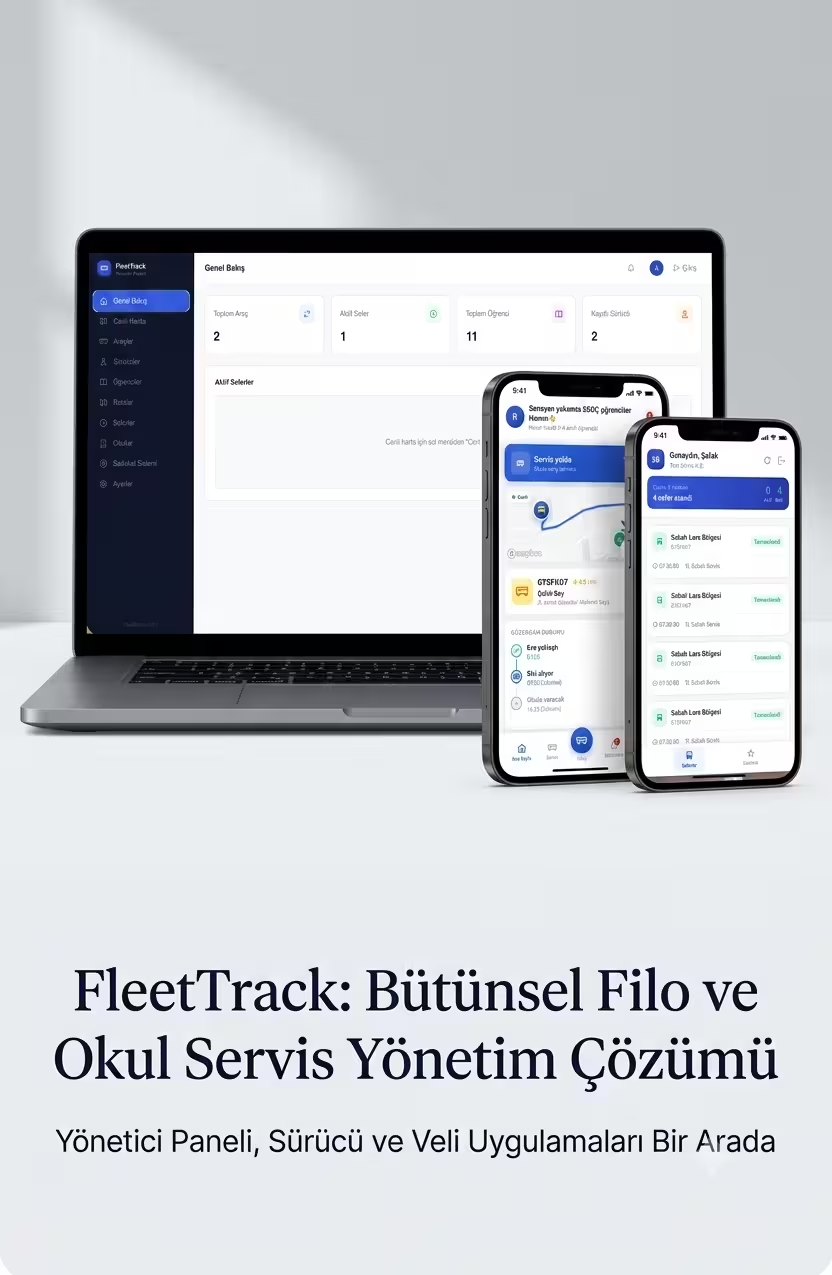
Good school bus software needs more than live location. Its essential features include role-based authorisation, route and stop management, trip start and completion, student–parent relationships, timestamped status, approach notifications, connectivity-failure behaviour and an audit history. An operator dashboard should surface active vehicles and exceptions; the driver interface should require minimal interaction while moving; and each parent should access only the relevant student and service. The purpose, retention period and deletion rule for location data must be set in advance. High-impact features such as cameras, biometrics or indefinite detailed history should not be added as optional extras without a defined need, risk assessment and appropriate legal process.
An essential feature is functionality required in the first release for dependable tracking, secure access and exception handling. Attractive features that do not support the core operation belong in a later phase.
A map is not the whole product
A vehicle marker does not explain who may see it, how fresh the data is or whether an operational event occurred. Roles, trip states and exception scenarios complete the product. Plan the first release around the following core modules.
Core modules for the first release
1. Role-based access
Administrators manage fleets and users; operators monitor active trips; drivers access only assigned vehicles and routes; parents see only matched student and bus information. Authorisation must be checked on the server for every request. Hiding a button in the interface is not access control.
2. Route, stop and trip model
A route represents a persistent plan, while a trip is a specific operation started for a date and driver. Stop order, planned time, vehicle, driver and student assignments should retain change history so daily edits can be explained.
3. Timestamped live state
Show freshness, accuracy state and active trip next to the map marker. Background location depends on operating-system permission. Android requires developers to explain why the access is needed and allow the user to decline. Android location-permission guidance
4. Event and notification engine
Keep approach, trip start, boarding, drop-off and completion as explicit events. Generate notifications from those events and manage preferences per user. Services such as FCM send notification or data messages from a trusted server environment to client devices. Firebase Cloud Messaging
5. Exception handling
Create visible alerts when data becomes stale, a driver does not start a trip, a vehicle deviates or notification delivery fails. The system should expose what is unknown instead of silently displaying an incorrect “live” state.
6. Audit and support view
Record who changed a route, when the driver started a trip and which notification was generated. Security logs should capture time, event type, relevant identifier and outcome without storing passwords or unnecessary sensitive information. OWASP Logging Cheat Sheet
7. Data lifecycle
KVKK principles require personal data to remain relevant, limited and proportionate to its purpose and retained only as long as necessary. Define separate retention and access rules for current location, route history, student information and support records. KVKK processing principles
Features for a later phase
Dynamic route optimisation, advanced ETA, vehicle maintenance, school-access integration, multi-tenant management and advanced reporting can follow real usage. Google Routes API supports route and matrix calculations, but the optimisation objective remains a business rule. Google Routes API
How should acceptance testing work?
Write failure cases as well as the happy path. What happens when the phone is off? Can the wrong parent access another vehicle? Is stale data labelled as live? Can a notification be duplicated? Does history survive a midday route change? Test these scenarios with real devices and weak connectivity during the pilot.
What does this structure deliver?
Places map data inside an authorised user and active-trip context.
Turns stale data, route deviation and notification failures into visible exceptions.
Creates a low-interaction driver flow and a clear timestamped parent experience.
Gives support teams event history and accountable audit records.
Keeps the first release manageable by reducing unnecessary data and features.
Screens and evidence from implementation
Place features in the correct phase
| Feature group | First release | Later phase | Use caution |
|---|---|---|---|
| Tracking | Timestamped location and trip state | Advanced ETA and optimisation | Guaranteed arrival claims |
| Access | Roles and student–parent relationships | Enterprise sign-on integration | Client-side hiding as the only control |
| Notifications | Trip and approach events | Personalised preference rules | Critical workflows that assume “read” |
| Operations | Routes, stops, drivers and exception dashboard | Maintenance and multi-tenant modules | Unnecessary day-one scope |
| Data | Purpose, access, retention and deletion | Anonymised aggregate analysis | Unneeded camera, biometric or indefinite history |
Short, clear answers
How frequently should live location refresh?+
There is no universal interval. Balance operational need, battery, connectivity and map cost. Always display the timestamp regardless of interval.
How is a student-boarding event created?+
It may come from driver confirmation, a card or QR integration, or another verified event. Proximity alone does not prove that a student boarded.
Is a camera an essential feature?+
No. Cameras require a separate purpose, data-impact, security and legal assessment. They should not be treated as a default part of tracking.
Should route optimisation be in version one?+
Most pilots should validate fixed routes and stop management first. Dynamic optimisation becomes useful after objectives, constraints and sufficient field data are defined.
Why are audit records necessary?+
They help investigate route, access and notification incidents. Logs must be protected and should not contain unnecessary sensitive data.
Sources
Related guides
What Is the Difference Between GEO and SEO? A Practical Comparison
Compare the roles of SEO and GEO, where they overlap, and how to apply both within one reliable publishing workflow.
Read →AI Search and GEOHow Can a Business Appear in AI Search?
A practical checklist that helps business pages become eligible, understandable and verifiable for Google AI features and ChatGPT Search.
Read →FleetTrack and Mobile SystemsHow Does a School Bus Tracking System Work?
Understand the data flow, operational limits and implementation steps from vehicle location to parent notifications.
Read →