Reservation Automation with the WhatsApp Business API
Build an official API, webhook, template, handoff and error workflow that turns WhatsApp messages into validated reservations.
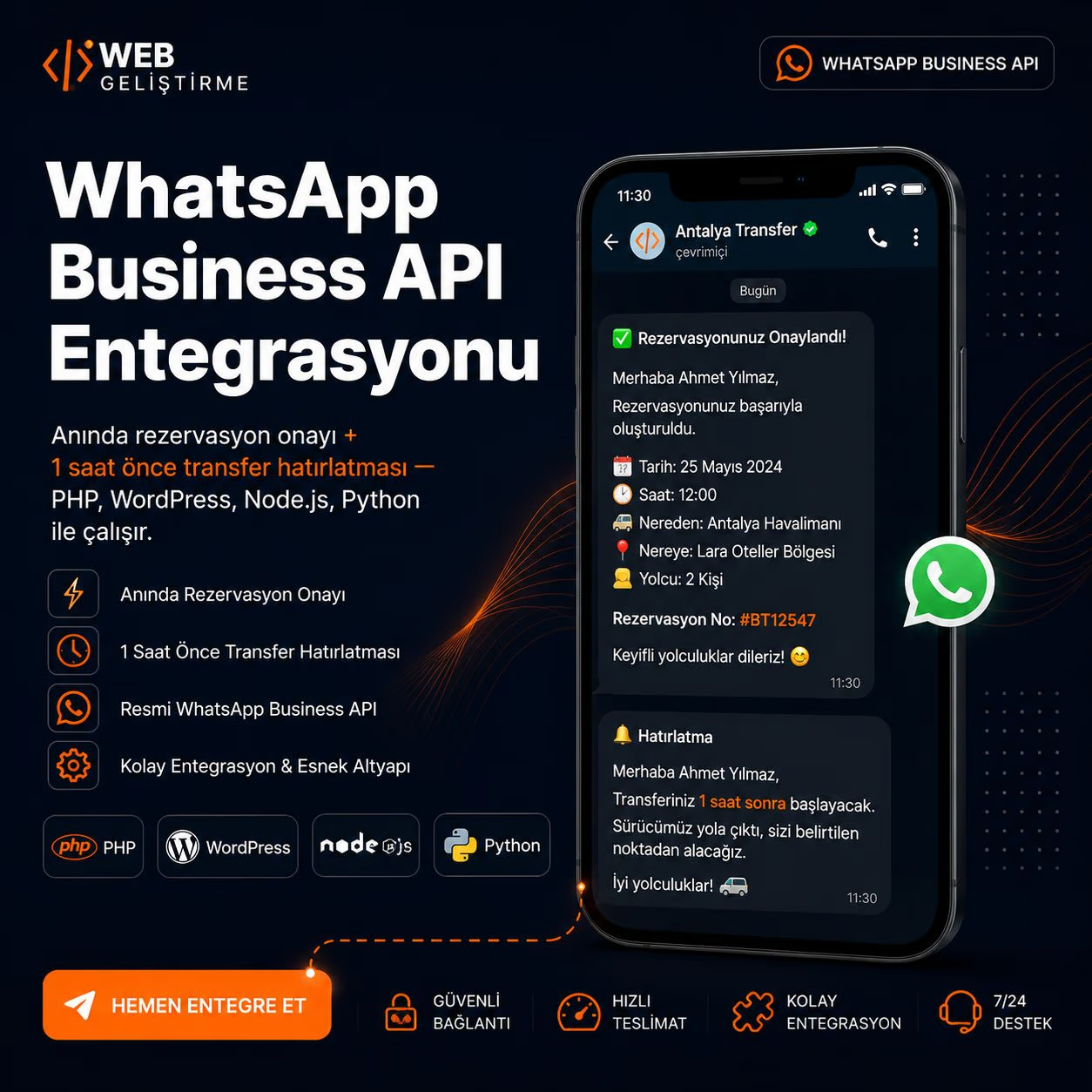
WhatsApp Business API reservation automation sends customer messages through the official Cloud API and webhooks to the business server. The workflow collects only required fields—such as date, time, party size, route or service, contact details and confirmation—through controlled questions. After validation, it creates a unique reservation record, sends a summary and reference, and can assign the work to the relevant team or vehicle. Ambiguous, changed or exceptional requests must be handed to a person. Chat itself should not become the only database; reservation state, permissions and activity history belong in the core system. Template, consent, pricing and conversation rules can change, so current Meta documentation must be checked before implementation.
An integration that receives customer messages through the official WhatsApp Business Platform, validates required reservation fields, creates a record in the central system and manages confirmation or change notifications through controlled workflows.
Components of the official architecture
Meta explains that WhatsApp Business Platform enables programmatic business messaging and that Cloud API uses Graph API for sending and Webhooks for receiving events over HTTPS/TLS. WhatsApp Business Platform overview
The architecture has four layers:
- A verified WhatsApp business number and Meta application
- A webhook receiving inbound message and status events
- An application server managing reservation rules, validation and human handoff
- A database or operations system acting as the reservation source of truth
Meta’s get-started guide brings together app creation, API use, sending and receiving, test webhooks and business-asset configuration. WhatsApp Cloud API get started
Implementation: turn conversation into a record
1. Define purpose and consent
Document which messages are sent through the channel and what the customer agreed to receive. Confirmation, changes, reminders and marketing are different purposes. Users need an easy path to a person and a way to manage preferences.
2. Begin with the minimum data
Do not request every detail in the first message. Start with service and date, then ask only for contact, party size, route or special requirements necessary to complete the booking. Never request card details or unnecessary identity documents in chat.
3. Validate free text
“Tomorrow evening” can be ambiguous across dates and time zones. Display the interpreted date and time explicitly and ask for confirmation. Validate address, flight, party size and phone formats. After repeated failure, hand off instead of trapping the customer in a loop.
4. Process webhook retries safely
A webhook may be delivered again because of network behaviour. Store the event ID and prevent a second reservation from the same event. Retry transient failures and send persistent ones to an operator queue.
5. Present a summary and request explicit confirmation
Before creation, show date, time, route or service, party size, price scope and change/cancellation path in one summary. Generate a unique reference after confirmation. If payment is required, direct the user to a secure provider page; never ask for card data in chat.
6. Manage state, not message text
Use explicit states such as new, awaiting information, confirmed, awaiting payment, assigned, completed or cancelled. A WhatsApp notification reflects that state; the operations system owns it.
Templates and webhook rules
Meta describes templates as WhatsApp Business Account assets used in template messages through Cloud API. Categories, approval, preferences and sending conditions can change, so use the current Template Fundamentals page at launch. Meta Template Fundamentals
For webhooks, plan verification, event-type routing, signature checks, fast acknowledgement and background processing. Meta’s message webhook reference distinguishes customer messages from status events for business-sent messages. WhatsApp messages webhook reference
When should a person take over?
- The user fails validation twice
- Availability or price cannot be calculated deterministically
- A special seat, accessibility or unusual baggage request appears
- The user explicitly requests an agent
- Cancellation, refund, complaint or safety is involved
The agent should see recent context and structured fields rather than asking again. After resolution, the agent updates reservation state in the core system.
Security and measurement
Do not keep access tokens in source code or logs; use authorised secret management. OWASP recommends enough context for investigating security events while excluding passwords and access tokens from application logs. OWASP Logging Cheat Sheet
Measure more than message volume. Track conversations started, reservations completed, handoffs, validation errors, duplicate events, delivery failures, cancellations and support time per booking. Consent and service quality must be in place before scale.
What does this structure deliver?
Moves customers from a familiar channel into a structured reservation flow.
Validates missing and ambiguous information before creating a booking.
Prevents webhook retries from creating duplicate reservations.
Uses human handoff for exceptional requests instead of endless automation loops.
Links messages to central reservation and operations records.
Screens and evidence from implementation
Compare WhatsApp reservation models
| Criterion | Manual WhatsApp | Official Cloud API automation | Unofficial web automation |
|---|---|---|---|
| Start-up | Fast and staff-led | Requires setup and integration | May appear fast |
| Record quality | Depends on staff discipline | Validated fields and central record | Can be brittle and inconsistent |
| Scale | Limited by team capacity | Managed through queues, webhooks and handoff | Depends on sessions and UI changes |
| Policy basis | Business app rules | Official Business Platform documentation | High account and security risk |
| Traceability | Conversation history | Message–reservation–state linkage | No standard event record |
Short, clear answers
Are the WhatsApp Business app and Cloud API the same?+
No. The business app is a client used manually by small teams. Cloud API is a Business Platform component for programmatic messaging and software integration.
Does every reservation message require a template?+
It depends on who initiated the message and the conversation context. Verify the current Meta template and messaging documentation at production time.
Can a bot calculate a price?+
Yes when tariff, route, date, capacity and add-on rules are deterministic. Ambiguous or exceptional cases should be handed to an agent instead of inventing a price.
Should payment be collected inside WhatsApp?+
Do not request card details in chat. Use a secure, expiring provider link and connect the payment result to the reservation through a server event.
What if the bot cannot answer?+
Provide a clear error, reference number and path to human support. Never leave the customer in an endless question loop.
Sources
Related guides
What Is the Difference Between GEO and SEO? A Practical Comparison
Compare the roles of SEO and GEO, where they overlap, and how to apply both within one reliable publishing workflow.
Read →AI Search and GEOHow Can a Business Appear in AI Search?
A practical checklist that helps business pages become eligible, understandable and verifiable for Google AI features and ChatGPT Search.
Read →FleetTrack and Mobile SystemsHow Does a School Bus Tracking System Work?
Understand the data flow, operational limits and implementation steps from vehicle location to parent notifications.
Read →